> For the complete documentation index, see [llms.txt](https://docs.bonkbot.io/llms.txt). Markdown versions of documentation pages are available by appending `.md` to page URLs; this page is available as [Markdown](https://docs.bonkbot.io/bonkbot/quick-setup-guide/funding-your-wallet/buying-sol.md).
# Buying SOL
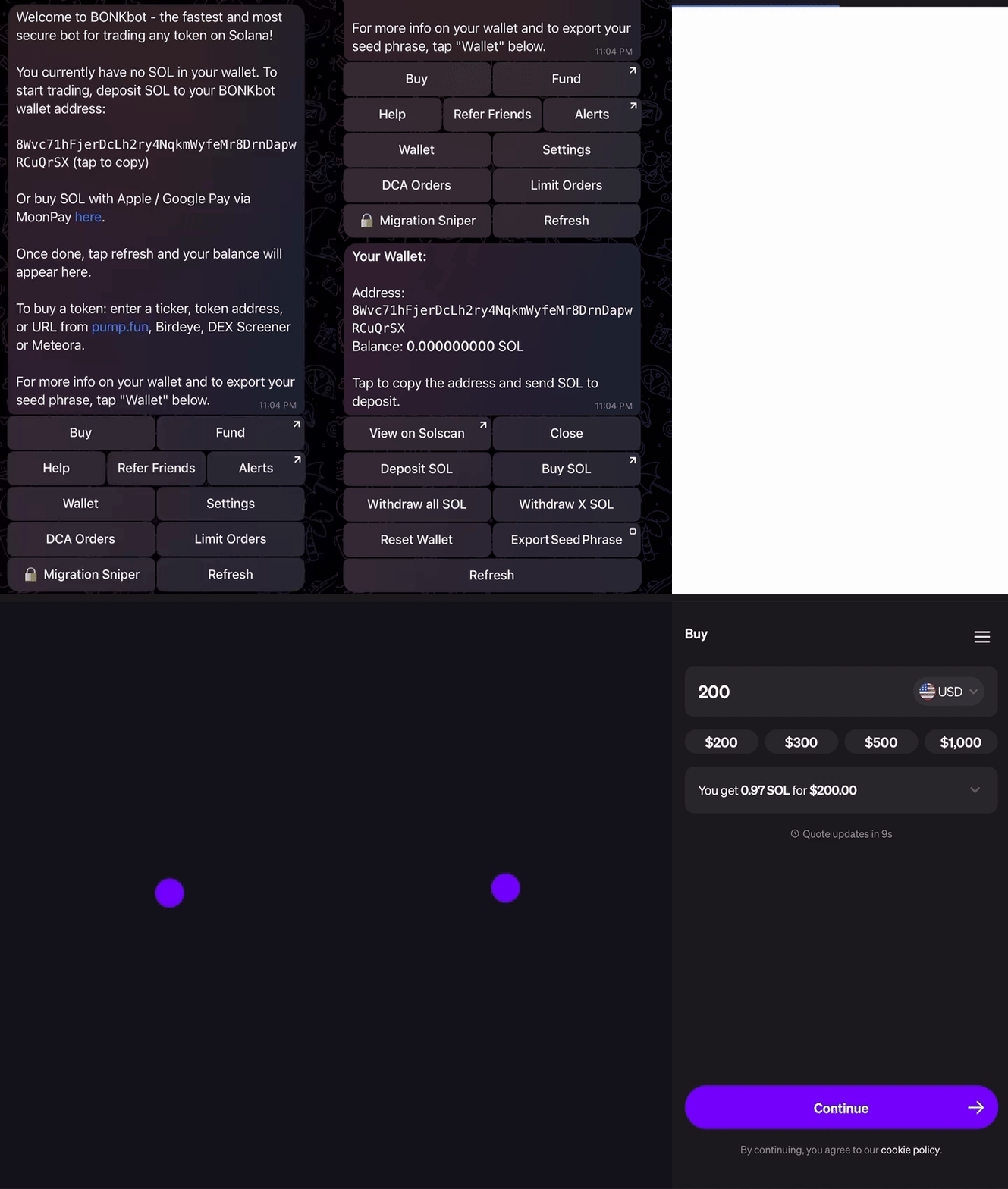
Need SOL to trade with? You can purchase SOL directly in BONKbot via MoonPay!
To buy SOL, navigate to the Wallet menu and select "Buy SOL"
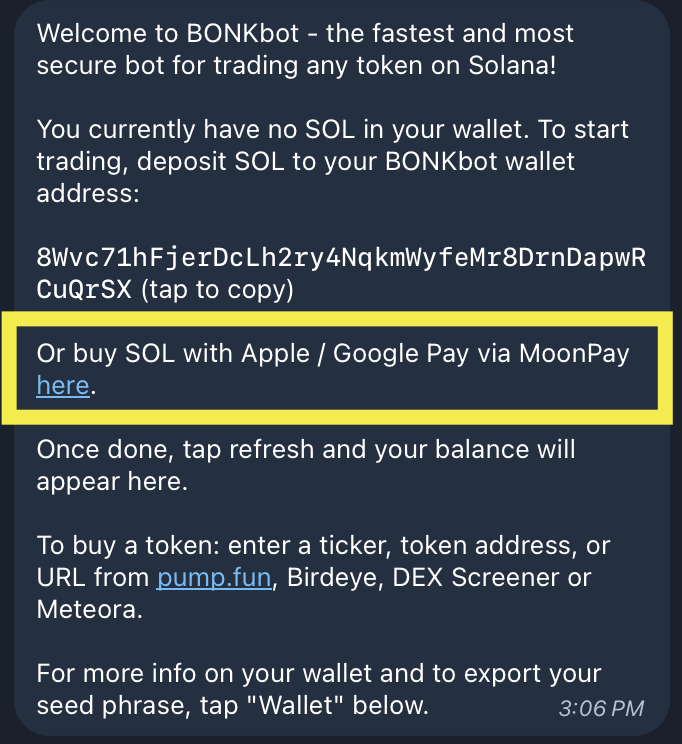
If you have 0 SOL in your wallet, you can access MoonPay directly from the BONKbot Home menu:
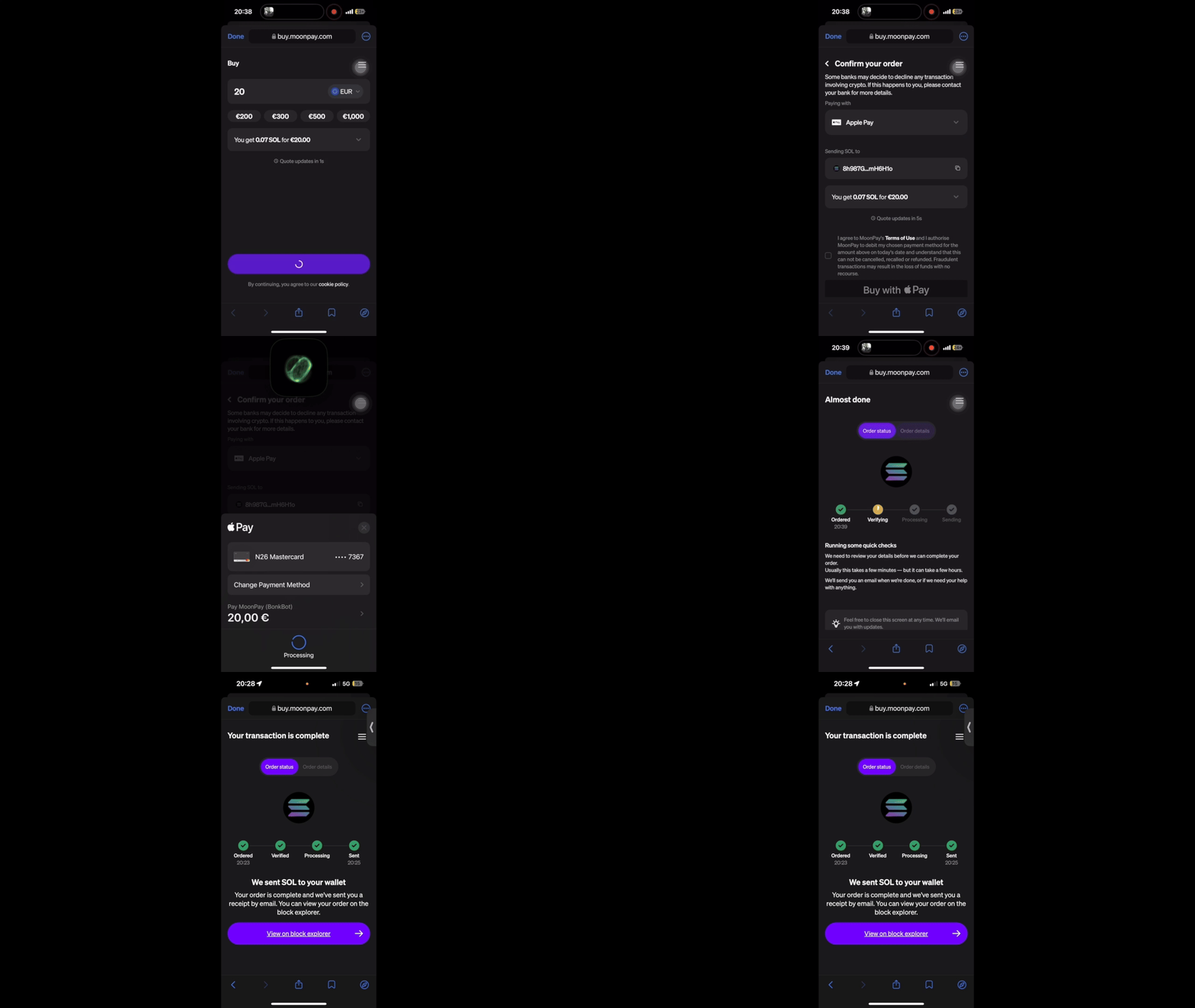
From there, MoonPay will prompt you to complete your SOL purchase.
1. Enter the amount of SOL that you'd like to purchase ($20)
2. Select your payment method (Apple Pay)
3. Agree to MoonPay's terms of use and confirm your order
Once you've funded your wallet, we recommend [Setting Up 2FA](broken://pages/tF04pBu9fAqo1D6VPZ8N) before you begin trading