> For the complete documentation index, see [llms.txt](https://docs.bonkbot.io/llms.txt). Markdown versions of documentation pages are available by appending `.md` to page URLs; this page is available as [Markdown](https://docs.bonkbot.io/bonkbot/trading-basics/hide-tokens.md).
# Hide Tokens
By default, BONKbot displays all token balances in your wallet. However, you have the option to manually hide tokens to reduce clutter in your wallet and/or remove suspicious airdrops.
### Manage Tokens Menu:
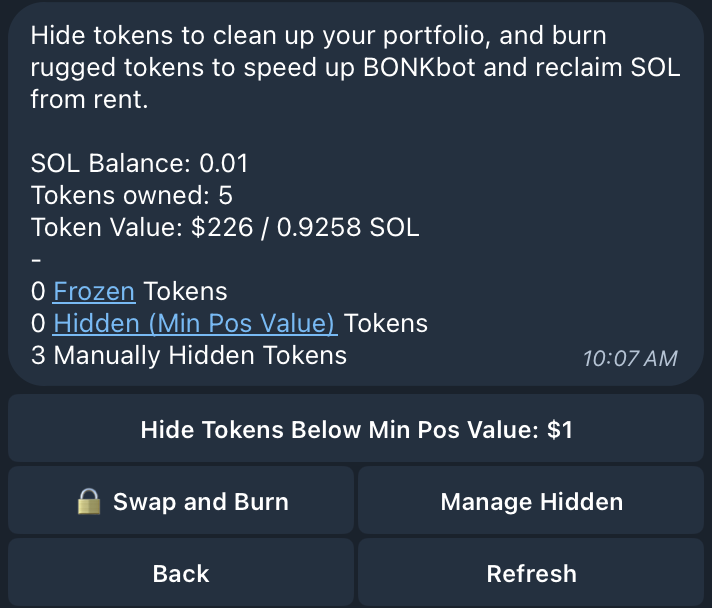
The Manage Tokens menu displays a high level overview of your token balances and enables a few key actions for token management.
* Token Overview
* SOL Balance
* Number of unique tokens owned
* Frozen tokens
* Hidden tokens ([Minimum Position Value](/bonkbot/settings/minimum-position-value.md))
* Hidden tokens (Manual)
* Total token value (USD / SOL)
* Token Management
* Hide Tokens Below Min Pos Value
* Manage Hidden
* Swap and Burn (coming soon)
### Example Hiding Tokens with GIF:
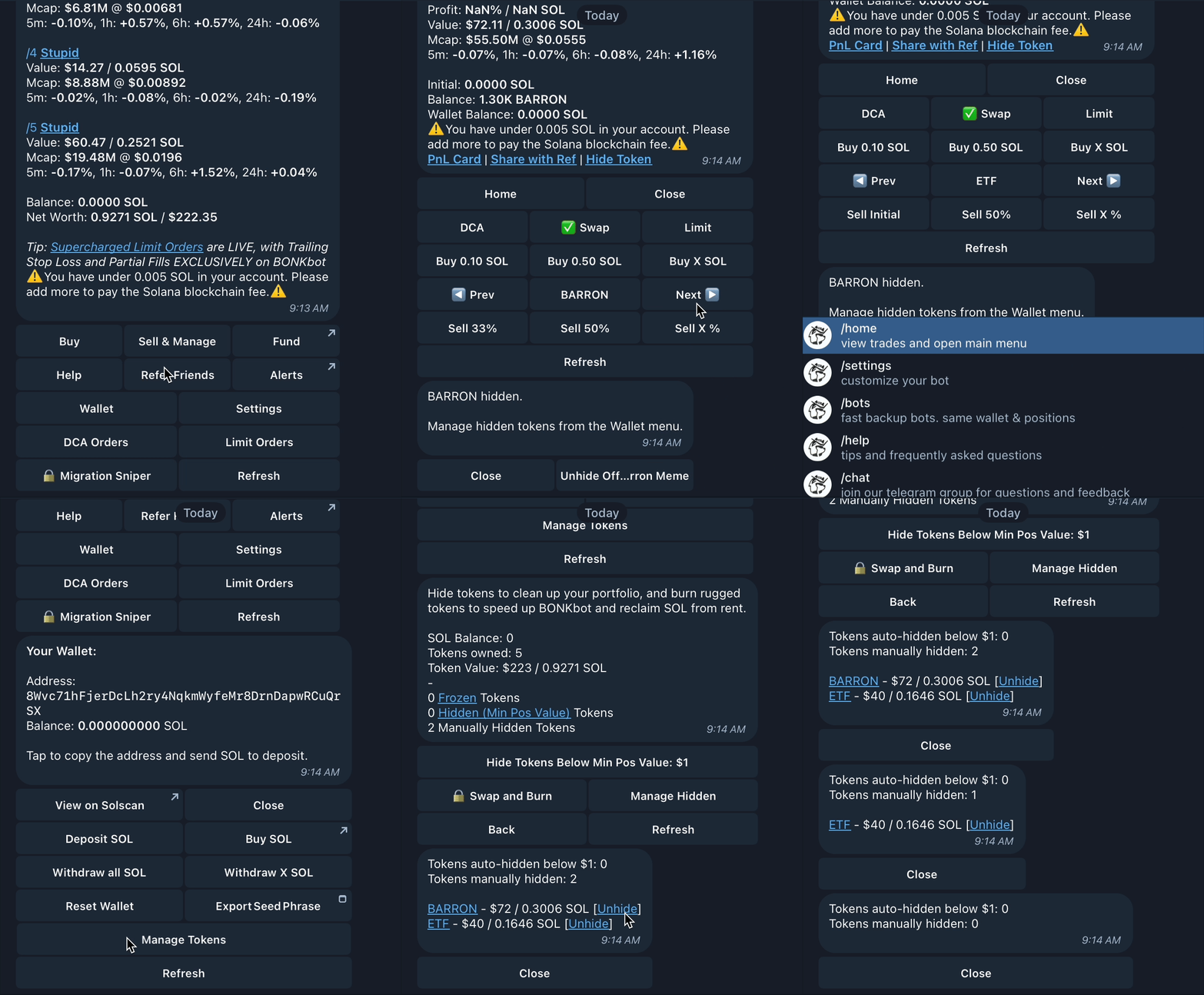
To Hide and Manage tokens, follow these steps:
1. Open the **Sell & Manage** page from the BONKbot home menu
2. Flip through your positions and select the hyperlinked **Hide Token** button for any tokens that you would like to hide - you will receive a confirmation message for each successfully hidden token
3. Return to the home page and navigate to the Wallet menu
4. Select **Manage Tokens** from the Wallet menu
5. Select **Manage Hidden** from the Manage Tokens menu to view your hidden tokens and unhide them
### Example Updating Minimum Position Value with GIF:
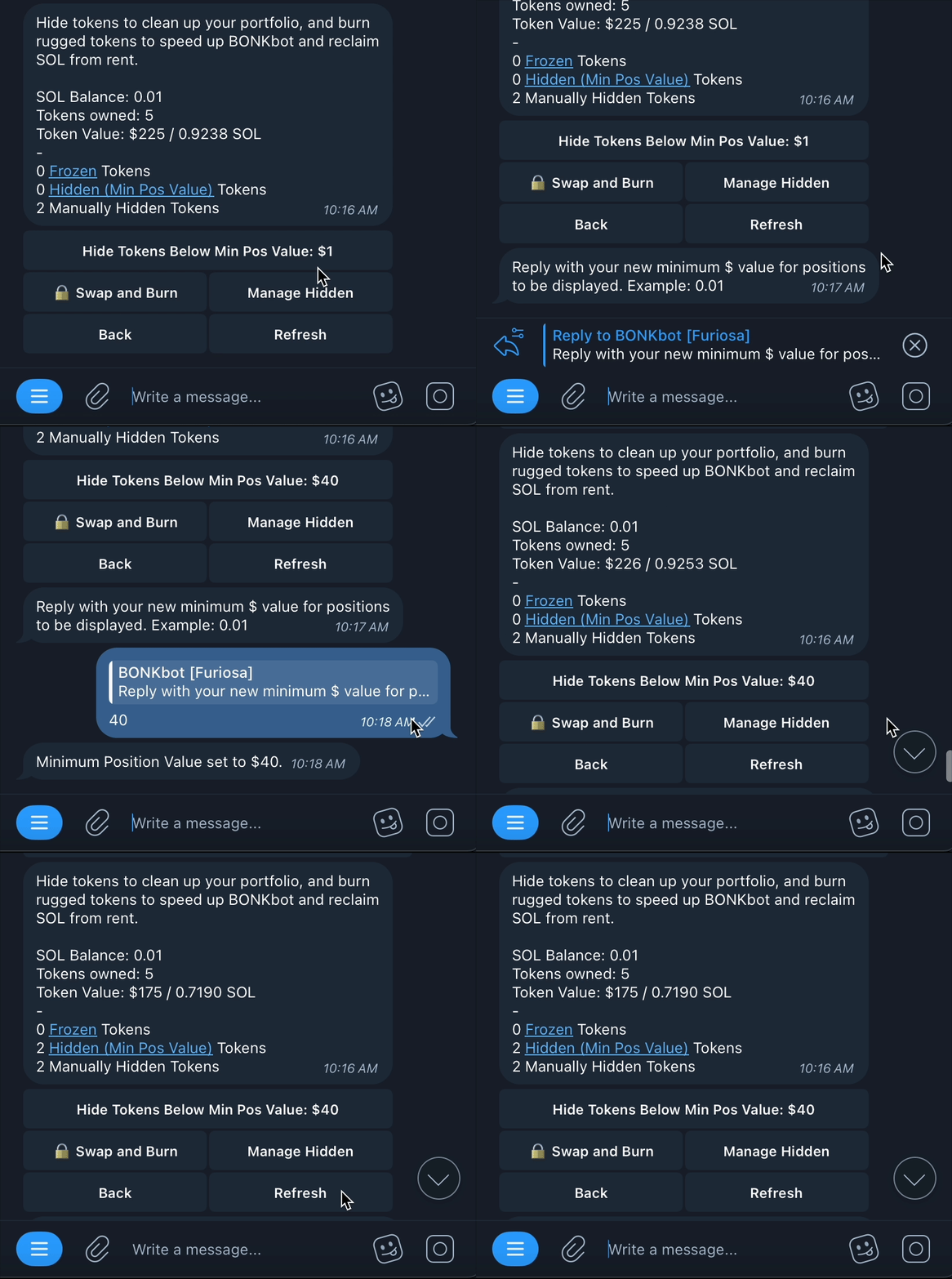
As you may know, you can update [Minimum Position Value](/bonkbot/settings/minimum-position-value.md) from the BONKbot Settings page. You can also update this value directly from the Manage Tokens menu.
In this example, the user starts with 2 manually hidden tokens and 0 hidden by Minimum Position Value. The user updates Min Pos Value from $1 to $40. Upon refreshing the Manage Tokens menu, two positions valued under $40 are now hidden.